
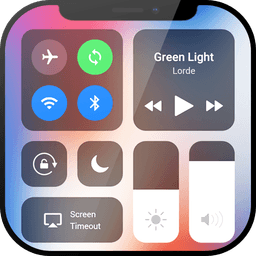
Screenshots
About Control Center IOS 12
Control Center IOS 12 brings the elegance of iOS controls to your Android device with a floating customizable bar that puts essential functions at your fingertips. This free utility eliminates the need to dig through menus, protecting your physical buttons while giving you instant access to the settings and features you use most.
Quick access to system controls transforms how you interact with your phone. Adjust brightness without navigating settings, toggle WiFi and Bluetooth for wireless connectivity, activate airplane mode in seconds, or switch to do not disturb mode to silence notifications when you need focus. Control audio playback directly from the floating bar—play, pause, and adjust volume for your music, podcasts, and media without interrupting your workflow. The virtual volume button lets you change volume and sound modes with a single touch, while the super bright flashlight gives you instant illumination whenever you need it.
Capture and record content effortlessly. Screenshot your screen with one tap, or record your phone's activity for tutorials, gameplay, or documentation (Android 5.0 and above). Access your camera instantly to never miss a moment, launch the calculator for quick math, set alarms and timers, or lock your screen orientation with portrait mode—all without leaving your current app.
Customization puts you in complete control. Change the bar's color to match your style, reposition it to the left, right, or bottom of your screen, adjust its width and height, and modify transparency to suit your preference. Add or remove apps and controls to create your perfect personal control center. Configure gesture controls for your workflow: swipe to go home or back, long press to open recent apps, tap to show settings or notifications, and more.
The floating bar is especially valuable for large-screen phones, reducing the need to stretch your thumb across the display. Whether you're managing connectivity, adjusting display settings, controlling media, or launching your favorite applications and games, Control Center IOS 12 streamlines everyday interactions into effortless touches.
Your privacy is protected—we never disclose personal data, financial information, or identification details. If you encounter any issues, send us feedback and we'll fix it quickly. Enjoy Control Center IOS 12 free, forever.
Pros & Cons
Pros
- Quick access to brightness, WiFi, Bluetooth, and airplane mode without opening settings
- Floating bar is repositionable and fully customizable in color, size, and transparency
- Built-in screenshot and screen recording eliminates need for separate tools
- Reduces physical strain on large phones by keeping controls within thumb's reach
Cons
- Floating bar occupies screen space and may obscure content in apps
- Requires accessibility permissions, which grants broad system-level access to the app
- Some features like screen recording only work on Android 5.0 and above
- Free app model may introduce monetization (ads or upsells) in future updates
Related Apps

HWiNFO
Hardware monitoring for Windows—track CPU temp, GPU load, fan speed, voltage in real time.

TransMac
Read Mac drives and DMG files on Windows. Access APFS/HFS+ storage and create disk images.

Advanced SystemCare Free
System optimization tool: clean, repair, and secure your PC. Remove malware, fix errors, and boost performance.

Display Driver Uninstaller (DDU)
Driver uninstaller for GPU and audio — removes residual files for clean Windows updates

Glary Utilities
PC maintenance and optimization suite — clean, repair, and speed up your Windows computer in one action.

Universal ADB Drivers
ADB drivers for Android: Connect any smartphone to Windows PC without manufacturer software.
Latest Articles

Os melhores jogos de sobrevivência com astronautas presos em PC em 2026 (testamos 7)
Jul 13, 2026

Melhores apps para carros com Android Automotive OS em 2026
Jul 13, 2026

Melhores apps para assistir anime antologia no Android em 2026
Jul 13, 2026
Melhores aplicativos para varredura de vulnerabilidades de rede em 2026 (testamos 7)
Jul 13, 2026

Melhores aplicativos para triagem de email com IA no Android em 2026 (testamos 7)
Jul 13, 2026